

Introduction
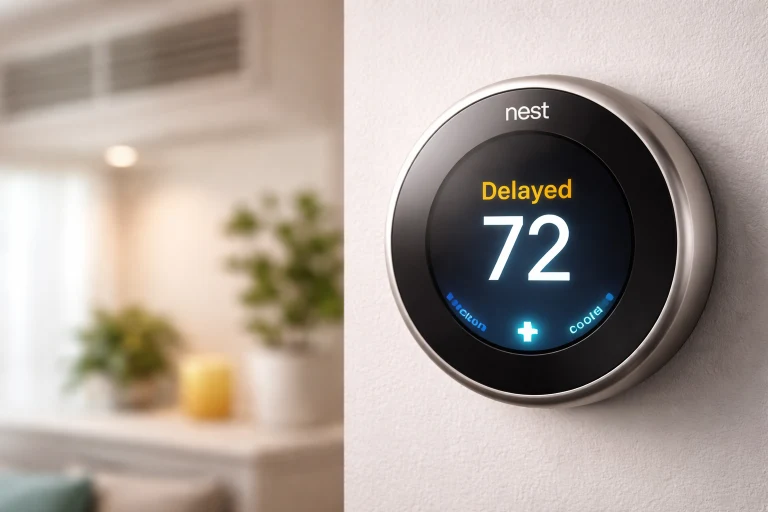
Seeing a “delayed” message on your Nest thermostat can be confusing, especially when you expect your heating or cooling to start right away. If you’ve recently noticed this issue, you’re probably wondering what it means and whether something is wrong with your system. The good news is that in most cases, the “delayed on Nest” message is completely normal and designed to protect your HVAC system.
In this guide, we’ll explain why this happens, how long the delay lasts, and what you can do if it seems unusual. Whether you’re a new Nest user or someone troubleshooting a problem, this article will help you understand everything clearly.
What Does “Delayed on Nest” Mean?
When your Nest thermostat shows a delay message, it simply means the system is temporarily waiting before turning on heating or cooling. This delay is intentional and built into the thermostat’s design.
The main purpose is to protect your HVAC system, especially the compressor in air conditioning units. Turning systems on and off too quickly can cause damage over time.
Why the Delay Happens
The delay is usually triggered when:
- The system was recently turned off and is preventing rapid restart
- There is a built-in safety timer for the compressor
- The thermostat is adjusting based on temperature changes
This is often referred to as a “short cycling prevention” feature.
How Long Does the Nest Delay Last?
In most cases, the delay lasts between 2 to 5 minutes. However, it can sometimes extend slightly longer depending on your system and conditions.
For example, if your air conditioner was just running and stopped, Nest may wait a few minutes before restarting it to avoid strain on the compressor.
If the delay goes beyond 10–15 minutes consistently, it may indicate a deeper issue.
Common Causes of Delayed on Nest
1. Compressor Protection Feature
This is the most common reason. Nest prevents your HVAC system from restarting too quickly to avoid damage.
For example, if your AC turns off and you immediately try to turn it back on, Nest will delay the restart.
2. Power or Wiring Issues
If your thermostat isn’t receiving consistent power, it may delay operation. This can happen due to:
- Loose wiring
- Low battery levels
- Missing common wire (C-wire)
In such cases, the delay may happen more frequently than normal.
3. Temperature Adjustments
When you manually change the temperature, Nest may delay the system briefly to process the change and avoid unnecessary cycling.
4. System Cooling Period
HVAC systems need time to stabilize after shutting down. Nest respects this cooling-off period before restarting.
5. Software Updates or System Checks
Occasionally, the thermostat may delay operation while performing internal checks or updates.
Is “Delayed on Nest” a Problem?
In most situations, no. The delay is a normal and important feature that protects your system and improves its lifespan.
However, it may become a concern if:
- The delay happens very frequently
- It lasts longer than expected (over 15 minutes)
- Your system never turns on after the delay
In these cases, troubleshooting is recommended.
How to Fix Delayed on Nest
If the delay seems unusual or annoying, there are several ways to address it.
Check Your Power Supply
Make sure your Nest thermostat is getting enough power. Low power can cause delays or system issues.
- Check battery levels
- Ensure the C-wire is properly connected
- Inspect wiring for loose connections
Restart Your Nest Thermostat
Sometimes a simple restart can fix minor glitches.
- Go to settings
- Select reset or restart
- Wait for the system to reboot
Inspect Your HVAC System
If the issue persists, your heating or cooling system itself might be the cause.
Look for:
- Dirty air filters
- Blocked vents
- System overheating
Regular maintenance can reduce unnecessary delays.
Adjust Temperature Gradually
Avoid making sudden large temperature changes. Instead, adjust gradually to prevent triggering delays.
Contact a Professional
If none of the above solutions work, it’s best to consult an HVAC technician. They can check for deeper issues like compressor problems or wiring faults.
Real-Life Example
Imagine you turn off your air conditioner and then quickly turn it back on because the room still feels warm. Instead of starting immediately, Nest shows a delay message.
This is not a fault—it’s preventing your AC compressor from being damaged by rapid cycling. After a few minutes, the system starts normally.
This simple feature can save you from costly repairs over time.
How to Prevent Frequent Delays
While you can’t completely remove the delay feature, you can reduce how often it appears.
- Keep your HVAC system well-maintained
- Replace air filters regularly
- Ensure proper wiring and power supply
- Avoid constantly turning the system on and off
By following these habits, your Nest thermostat will run more smoothly.
Key Takeaways
- “Delayed on Nest” is a normal safety feature, not an error
- It protects your HVAC system from damage
- Most delays last 2 to 5 minutes
- Frequent or long delays may indicate power or system issues
- Simple maintenance and checks can reduce delays
FAQs
Why does my Nest say delayed for so long?
If the delay lasts more than 10–15 minutes, it could be due to power issues, wiring problems, or HVAC system faults.
Can I remove the delay on Nest?
No, the delay is a built-in safety feature and cannot be disabled. It helps protect your system.
Is delayed on Nest bad?
Not at all. It’s actually beneficial because it prevents damage to your heating and cooling system.
Why does Nest delay heating or cooling?
Nest delays operation to prevent rapid cycling, protect the compressor, and ensure efficient system performance.
Should I reset my Nest if it keeps delaying?
You can try restarting it, but if the problem continues, check power supply or contact a professional.
Conclusion
The “delayed on Nest” message might seem frustrating at first, but it’s actually a smart feature designed to protect your HVAC system. In most cases, it’s completely normal and nothing to worry about.
However, if the delay becomes too frequent or unusually long, it’s worth checking your thermostat’s power, wiring, and overall system health. With proper care and understanding, your Nest thermostat can provide efficient, reliable comfort without issues.