

Introduction
Managing modern virtual environments can quickly become complex, especially when multiple applications, services, and virtual machines are interconnected. This is where vRealize Infrastructure Navigator comes in. Designed for VMware vSphere environments, it helps IT teams understand how applications inside virtual machines communicate with each other.
For beginners and experienced administrators alike, this tool provides clear visibility into application dependencies, making troubleshooting, migration, and system planning much easier. In this guide, you’ll learn how vRealize Infrastructure Navigator works, its key features, real-world uses, and whether it still fits into today’s evolving VMware ecosystem.
What Is vRealize Infrastructure Navigator?
vRealize Infrastructure Navigator is a VMware solution that automatically discovers applications running inside virtual machines and maps their dependencies. It integrates directly with vCenter Server, allowing administrators to visualize how different components of an application interact across the infrastructure.
Instead of manually tracking connections between servers, databases, and services, the tool provides an automated dependency map. This helps teams understand which systems rely on each other and how changes may impact the environment.
Originally introduced as vCenter Infrastructure Navigator, it later became part of the vRealize suite. Although it is now considered a legacy tool, many organizations still reference it when working with older VMware deployments.
How vRealize Infrastructure Navigator Works
At its core, the tool uses virtual appliances and agentless discovery methods to analyze network traffic between virtual machines. By monitoring communication patterns, it identifies application components and builds a real-time map of dependencies.
Once deployed, it connects to vCenter Server and begins scanning the environment. It detects services such as web servers, databases, and application servers, then links them based on communication behavior.
Key Process Overview
- It scans virtual machines without installing agents inside them
- It monitors network traffic to identify service interactions
- It maps relationships between application components
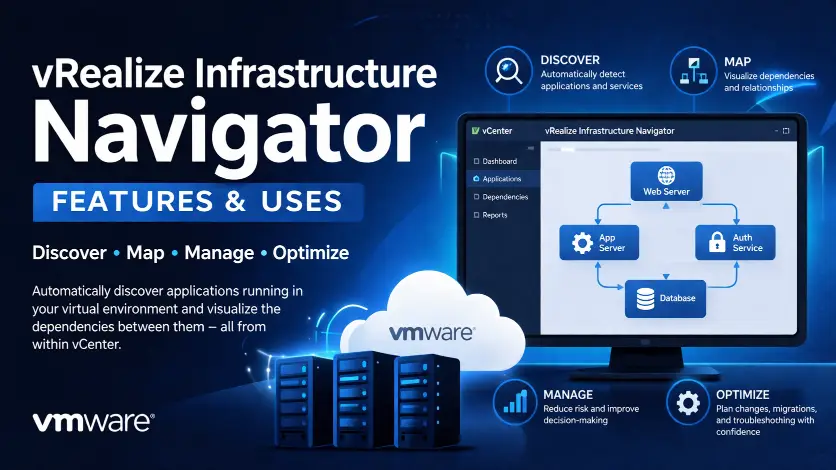
- It displays these relationships visually in vCenter
This automated process removes the need for manual documentation, which is often outdated or incomplete in dynamic environments.
Key Features of vRealize Infrastructure Navigator
Automated Application Discovery
One of the most valuable features is its ability to discover applications automatically. It identifies common services like Apache, IIS, MySQL, and Oracle without requiring manual input.
This saves time and ensures accuracy, especially in large environments where tracking every application manually is nearly impossible.
Dependency Mapping
The tool creates visual maps showing how applications are connected. For example, a web application might depend on a database server and an authentication service. These relationships are displayed clearly, helping administrators understand the full architecture.
Agentless Monitoring
Unlike many monitoring tools, vRealize Infrastructure Navigator does not require agents installed inside virtual machines. This reduces overhead, simplifies deployment, and avoids potential compatibility issues.
Integration with vCenter
Because it integrates directly with vCenter, users can access dependency maps within the same interface they already use for managing virtual machines. This seamless experience improves efficiency and reduces the learning curve.
Application Visibility
The tool provides detailed insights into running services within each VM. Administrators can quickly identify what applications are active and how they are behaving within the environment.
Real-World Uses of vRealize Infrastructure Navigator
1. Impact Analysis Before Changes
Before making changes such as patching or shutting down a VM, administrators can check dependency maps to see which systems might be affected. This reduces the risk of unexpected downtime.
For example, if a database server supports multiple applications, shutting it down without analysis could disrupt several services at once. The tool helps prevent such scenarios.
2. Simplified Troubleshooting
When an application fails, identifying the root cause can be challenging. Dependency mapping allows teams to trace issues across interconnected systems.
If a web application is slow, the tool may reveal that the database server it depends on is overloaded. This makes troubleshooting faster and more accurate.
3. Migration and Upgrade Planning
During migrations to new infrastructure or cloud environments, understanding dependencies is critical. vRealize Infrastructure Navigator helps teams plan migrations by showing which components must move together.
This ensures smoother transitions and reduces the chances of breaking application functionality.
4. Documentation and Compliance
Keeping infrastructure documentation up to date is a common challenge. The tool automatically generates accurate maps, which can be used for audits, compliance, and internal documentation.
Benefits for IT Teams
Using vRealize Infrastructure Navigator provides several practical advantages for IT professionals and organizations.
It improves visibility across the virtual environment, allowing teams to make informed decisions. It also reduces manual effort, since dependency tracking is automated rather than documented by hand.
Another major benefit is risk reduction. By understanding how systems are connected, administrators can avoid changes that might cause service disruptions.
Finally, it enhances collaboration. Teams working on different parts of the infrastructure can use the same dependency maps to understand the overall system.
Limitations and Current Status
While vRealize Infrastructure Navigator was highly useful, it is now considered a legacy tool. VMware has shifted focus toward newer platforms under the VMware Aria brand, which provide more advanced monitoring, automation, and analytics capabilities.
The tool may still work in older environments, but it is not actively developed or widely recommended for new deployments. Modern alternatives offer deeper insights, better scalability, and integration with cloud-native technologies.
Organizations using this tool today should evaluate whether newer solutions can better meet their needs, especially in hybrid or multi-cloud environments.
Modern Alternatives to Consider
As infrastructure evolves, newer tools have replaced many of the functions provided by vRealize Infrastructure Navigator.
Solutions like VMware Aria Operations and other observability platforms offer advanced features such as predictive analytics, AI-driven insights, and full-stack monitoring.
These tools go beyond dependency mapping and provide a more complete view of performance, capacity, and security.
However, the core concept introduced by vRealize Infrastructure Navigator—understanding application dependencies—remains essential in modern IT operations.
Key Takeaways
vRealize Infrastructure Navigator helped simplify complex virtual environments by automatically mapping application dependencies. It made it easier to understand how systems interact, reducing risks during changes and improving troubleshooting.
Although it is now a legacy tool, its approach to visibility and dependency mapping still influences modern infrastructure management solutions. Organizations should consider newer tools for advanced capabilities, but the foundational concepts remain highly relevant.
Frequently Asked Questions
What is vRealize Infrastructure Navigator used for?
It is used to discover applications inside virtual machines and map their dependencies. This helps administrators understand how systems interact and manage infrastructure more effectively.
Is vRealize Infrastructure Navigator still supported?
It is considered a legacy tool and is not actively developed. While it may still function in older environments, VMware now focuses on newer platforms.
Does it require agents inside virtual machines?
No, it uses agentless monitoring. This means it can analyze applications and dependencies without installing additional software inside each VM.
How does it help with troubleshooting?
It provides a visual map of application dependencies, allowing teams to trace issues across connected systems and identify the root cause more quickly.
Can it be used for cloud environments?
It was primarily designed for on-premises VMware vSphere environments. Modern tools are better suited for cloud and hybrid infrastructures.
What are the best alternatives today?
Newer solutions like VMware Aria Operations and other observability platforms offer more advanced features, including performance monitoring, analytics, and automation.
Conclusion
vRealize Infrastructure Navigator played an important role in simplifying virtual infrastructure management by making application dependencies visible and easy to understand. For many IT teams, it reduced guesswork, improved troubleshooting, and helped prevent costly mistakes during system changes.
While technology has moved forward and newer tools now offer more advanced capabilities, the core idea behind this solution remains critical. Understanding how applications and systems connect is still one of the most important aspects of managing modern IT environments.
If you are working with legacy VMware setups, this tool can still provide value. However, for future-ready infrastructure, exploring modern alternatives will ensure better performance, scalability, and long-term support.